Tably
iPhone Safari companion · TestFlight beta

Close Safari tabs without losing why they mattered.

Tably is for the tabs you keep open as reminders: a purchase to compare, a trip detail, a form, a thought you are afraid to lose. Save the context, close the tab yourself, and let Tably bring it back when it is time to decide.

Important: Tably does not close Safari tabs for you. It gives you enough confidence to close them yourself.

Local-first direction No account to start Built around review, not hoarding
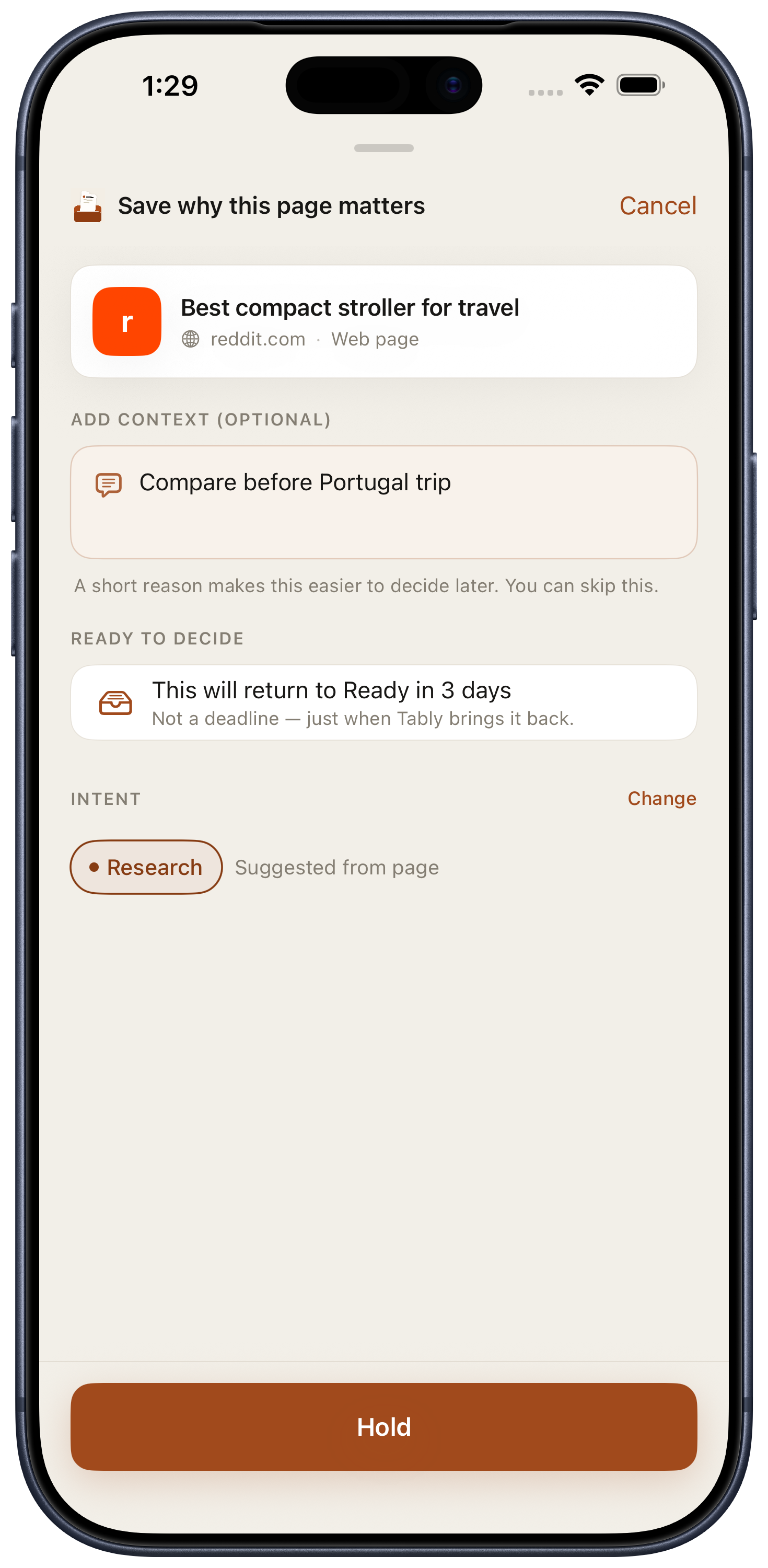
ParkSave the page and the reason it mattered.
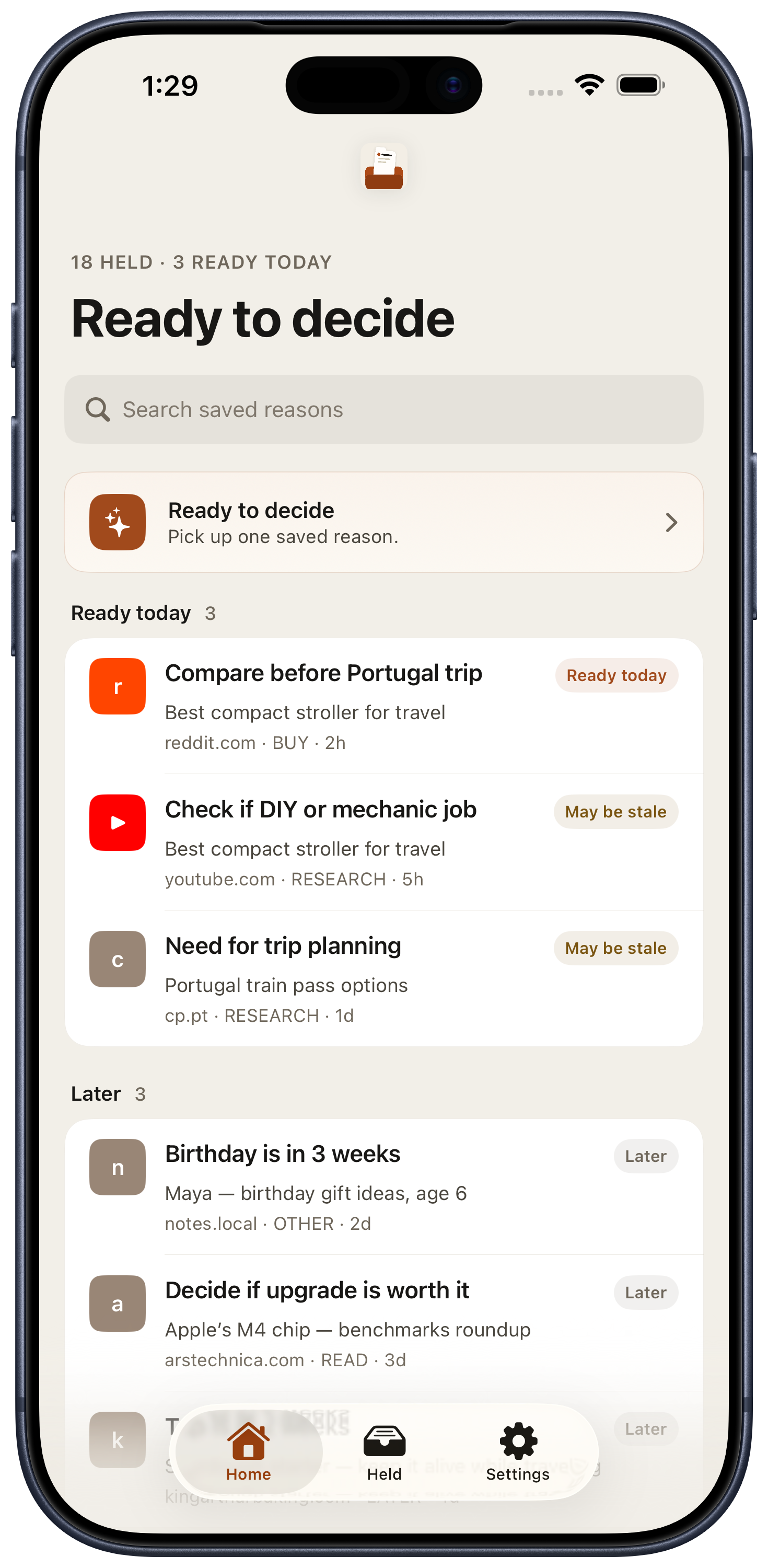
ResurfaceBring saved context back before it rots.
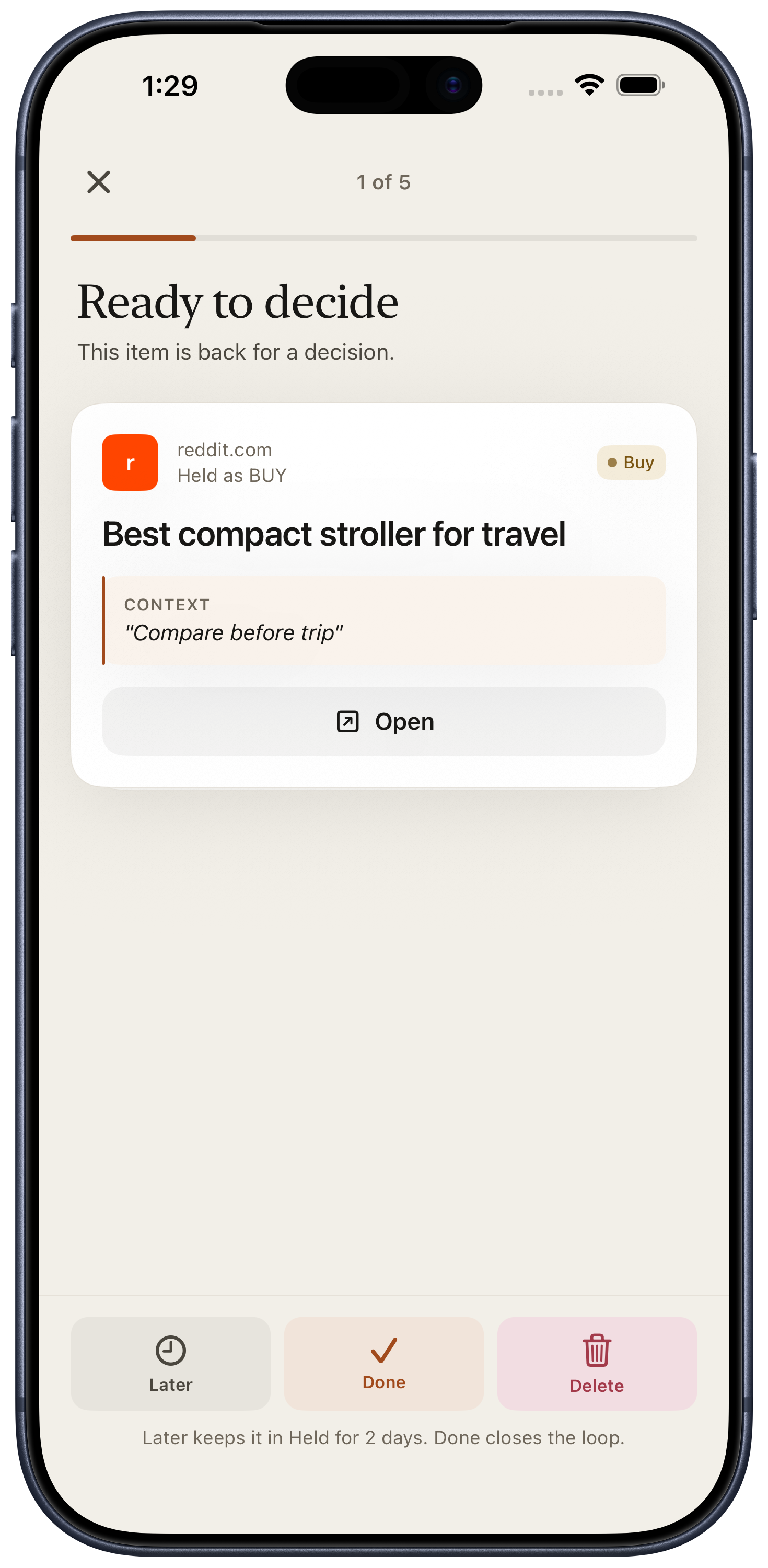
DecideOpen, snooze, mark done, or delete.
9:41LTE 78%
CancelSave to TablyDone
rreddit.com·Safari
Best compact stroller for Portugal?
Why I kept this
Compare before the trip, then buy one.
Save reason — I’ll close tab
Saved. You can close this tab.

The link and your reason are set aside for review. Safari stays under your control.

How Tably works

Not bookmarks. A small loop for unfinished tabs.

Bookmarks save links. Tably saves the reason you were scared to lose the link, then makes you decide later so the saved pile does not become another graveyard.

1

Share from Safari

Open the iOS share sheet, choose Tably, and capture one sentence of context.

2

Close with confidence

Tably confirms the context is saved. You decide whether to close the original tab.

3

Review and decide

When items come back, open what matters, snooze what is premature, and delete what is done.

The tab is not the value.

The value is the context: “why was this still open?”

Tably is designed for real-life tab clutter: research trails, shopping decisions, reminders, gift ideas, forms, and “don’t lose this” moments.

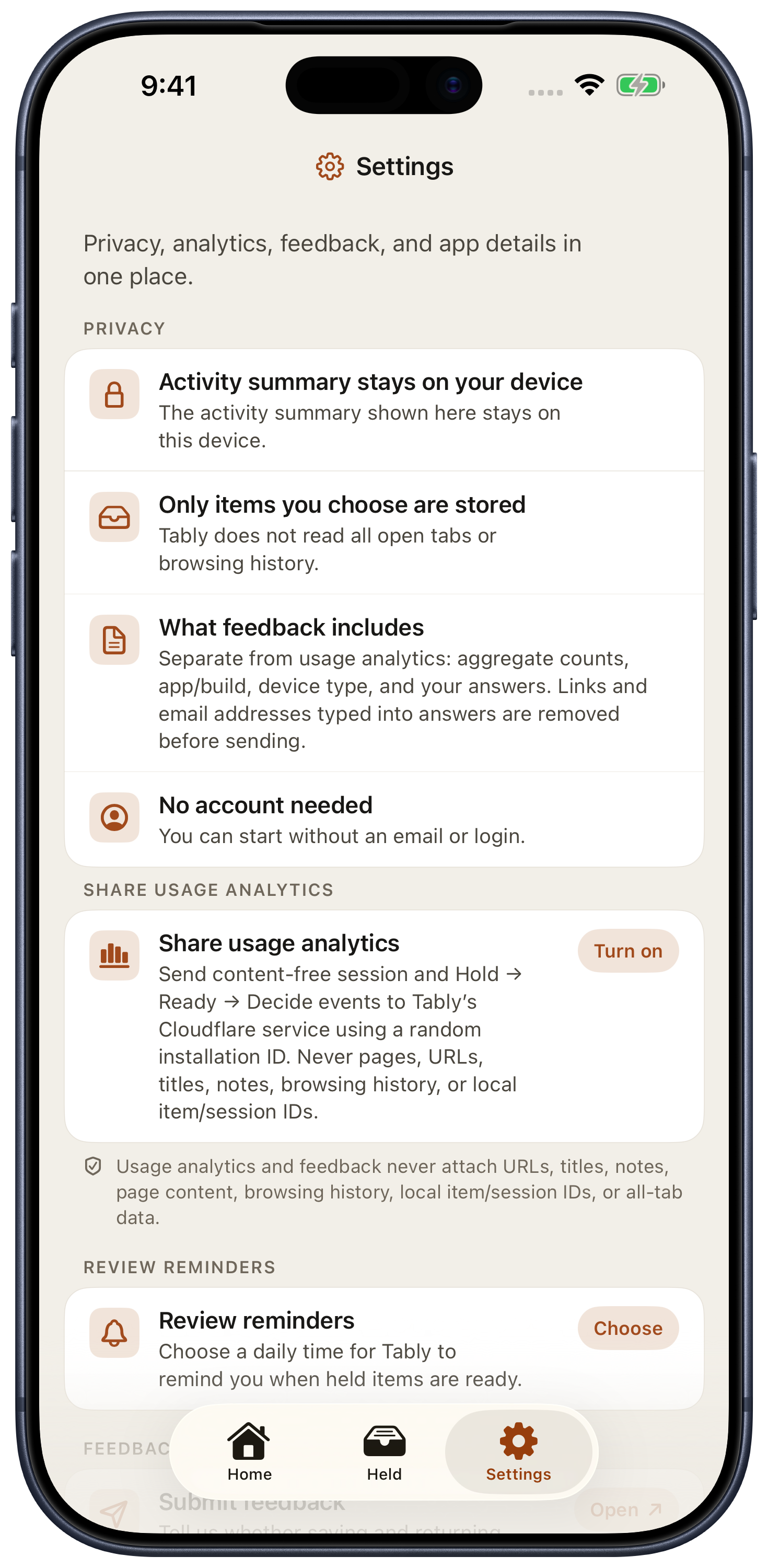
Privacy boundary, plainly.

  • Tably does not read all open tabs or browsing history.
  • Saved links, titles, and notes are local-first by default in the app direction.
  • Feedback sends only aggregate counts and your answers, never URLs, titles, saved notes, page content, browsing history, or all-tab data.
  • No account is required to start testing.
No AI or cloud sync unless you choose those features later.

Want to feel the flow before installing?

The browser prototype simulates the iPhone share flow and Still Care review. The TestFlight build is the real iOS app path.

Answers copied.

Thank you — feedback received.

Your feedback was sent to the backend and the form has been cleared.